Earcontra

Earcontra.com is a blog for everyone who's curious about Blogging Tips, SEO, Making Money Online. We share fresh and updated information related to Bogger Templates, Layouts, Blogger Widgets, HTML & CSS Tips, jQuery Tweaks, JavaScript Scripts, and other related keywords.

  • About
  • Contact Us
  • Disclaimer
  • Privacy Policy
Showing posts with label Blogger Posts. Show all posts

How to Use Special Characters In Blogger

Posted by OG Superman in: Blogger Posts
I'm very impressed with the way Blogger is improving these past years. When It comes to customization, blogger doesn't have it all like WordPress, but the latest improvement with these past few years in bringing blogger high.

These recent years, you will see blogger improvements in the templates we find online. Blogger is just perfect for a beginner with no experience in the blogging world. With the introduction if special characters addition to the text editor of blogger, you can now add smileys to your posts, as well as other characters. Now, no need for you to insert codes to display special characters.

Special Character Features


  • Emoji
  • Punctuation
  • Number
  • Format & Whitespace
  • Modifier
  • Latin
  • Other European Scripts
  • American Scripts
  • African Scripts
  • Middle Eastern Scripts
  • South Asian Scripts
  • South-east Asian Scripts
  • Hangul
  • Other East Asian Scripts
  • Han 1 - 17Stroke Radicals
  • Han - other


How to Insert  Emoji/Smileys Into Blogger Posts

To insert emoji and other special characters into blogger blog;


Open post editor → Select the smiley symbol → From the symbol menu, select Emoji

That is how comfortable Blogger has made it easy to insert emoji and other special characters into posts. I will surely be using more of it from now on😏. See you in the next post. Bye 💛
7 Add-ons Needed For Bloggers to Make Blogging Easier

Posted by OG Superman in: Blogger Posts
Having add-on gives us extra ability and flexibility for writing a rich post. As a blogger, you may find yourself in difficult situations sometimes for different reasons. Sometimes bloggers don't even have the urge or enthusiasm to write an article, but this can be generated when we have the right tools in our possession.

Thinking ahead, you need to have a backup to save things, check things and evaluate things. In the middle of an article, you may need to quickly check for an information in order to refresh your memory about what you want to write about.

For the following reasons listed above and others which I may have skipped unknowingly, I hereby introduce you to the following add-ons or extensions that make blogging easier for you.


These 7 Extensions Would Make Bloggers Write Great Articles

This list contains add-ons you will surely like ☺☺. They are all chrome extensions.

Grammarly

grammerly

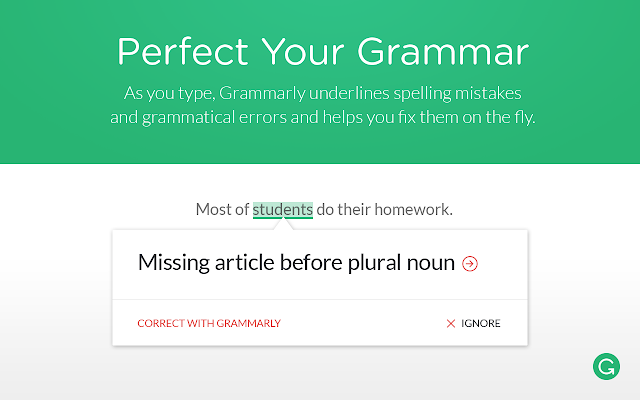
Do you speak English as a first language and have some difficulties in your writing abilities? Maybe English is not  your first language and you are also having difficulties in writing correct sentences. Grammarly is just awesome, it proofreads an article automatically as you are writing. It gives you the correction of whatever words you spelt wrong. It can also correct wrong sentences, It just underlines the wrong sentences or grammars and all you have to do is hover and edit.

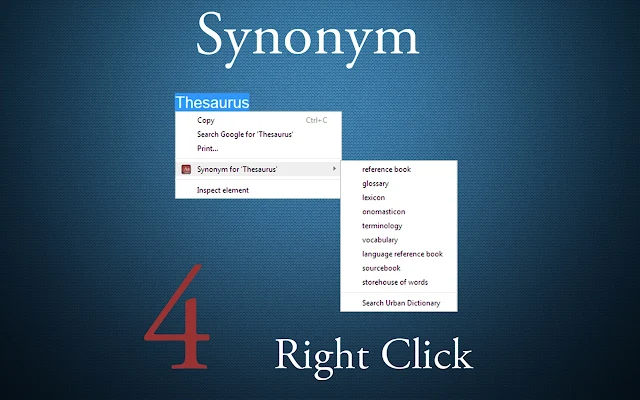
Thesaurus: Synonym 4 Right Click

Thesaurus Synonym

This extension can come in very handy. Think of that time when you need to use another word, but there is nothing in your head at that moment. Have you ever found yourself reading a piece of an article and you come across a word where you just need to check the synonym of that word to understand what it means in the sentence? that's where Thesaurus synonym 4 proofs useful for not just bloggers alone, but also for normal users. Just double-click to highlight the word and right-click to see the synonym, just great.

GoodWordGuide.com: Instant Dictionary

Dictionary bubble

Another extension that proves itself useful. You don't always have to open a dictionary app or program on your computer or phone. With this add-on, all you have to do is double-click and you get you definition. It looks up the complete definition of words, it is very simple to use.

Google Keep Extension

Google keep

If you haven't already installed this extension, then maybe now is the time. This extension is from Google itself, it can sync with all your devices and works offline. You can save web pages and links for later use and access them from any other device you are logged into. You can take notes, group into items in categories. It's a very resourceful addon.

Todoist: To-Do list and Task Manager

Todoist task manager

With over 6 million people across the world who find this Todoist for reminding them of their task when they might no longer have their mind on it. Todoist is on all mobile platforms it also syncs data across all your devices to keep you updated. Just record your project and let Todoist do the rest of its job reminding you.

Clipboard History

Clipboard history

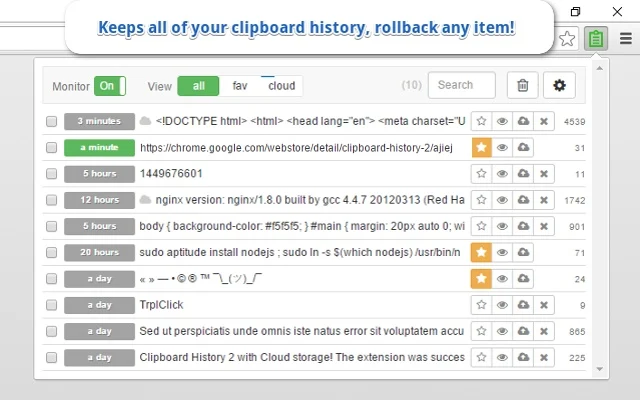
With the removal of clipboard in the recent Windows OS, bloggers may find this very useful for saving histories. As a blogger, you need to check many websites, and not all websites you may wish to bookmark. That is  why with Clipboard History, you only need to copy the link and it'll automatically appear in the history list. You can conveniently use it temporarily for your need.

OneNote Web Clipper

OneNote web clipper

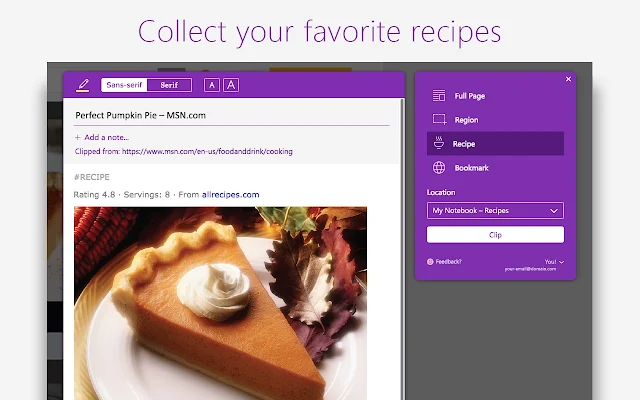
Just like Google Keep Extension, you can also save web pages, make edits and sync them among your devices to later access them. It has a feature to capture different regions of a web page and save them as one.


I'm sure you will find these extensions useful. As a blogger, one or more of those extensions is necessary to make blogging comfortable 😋.

How to Generate & Import Dummy or Demo Content on Blogger

Posted by OG Superman in: Blogger Posts
download and import xml demo content

In the stages of blog development, we are definitely going to need posts to test run the blog. This can be an issue especially for web developers who may have to work on more than one blog at the same tine, as it is not an easy task to always write articles. 

Sometimes, lengthy articles and as much as over 15 articles may be 
needed to test a website's functionality and responsiveness. Now, you know how this can be very hard to accomplish when you are making a professional website.

I will introduce to you  today how you can get an xml demo file which contains dummy content to import into your blog and you can now reduce your workload. SpotDummy is a content generator for blogger platform created by SNEEIT.  

All variation of HD and lower quality images have been inserted into the post, so  having to rescale the images may be the only thing you have to do if you aren't satisfied.

To Generate Dummy Content, follow this simple steps.


  • Go to the SNEEIT.
  • Open the Content generator post.
  • Click on Launch SpotDummy.
  • At the upper right hand of your screen, click on GENERATE NOW button.
  • Copy the popup  code. 
  • Open your notepad and paste the code into it.
  • Now save you it as an xml file.

The next step will be the importation of the xml document you created. You need to login to your blogger dashbord. Then go directly to Settings >> Others. You will find the import button right at the top or beginging og the page. 

If you need to still reduce time, you can use the one I created. The download link is below.

Download DUMMY CONTENT
Older Posts Home
Earcontra

Popular Posts

  • Is Yellow Token Really a Scam Project?
    This Steemit author have really gone wild after not getting his rightful token. Bad mood can really spark up little problems sometimes - Wh...
  • How To Create A separate Label or Tag page In blogger
    Sometimes ago, I thought that it would be nice to have a standalone or separate page where you can display the labels, then add the page t...
  • How To Insert Facebook Page Plugin To Blogger - Original Poster
    Facebook page plugin is very handy, it can dramatically increase your traffic and let's say it also saves your traffic. Why Do Y...
  • How To Correctly Apply For Google AdSense With Blogger Blog
    With the recent changes with Adsense website, you will notice that if you applied for Google Adsense through the earnings tab in your blogge...
  • BTC2x - The Most Advanced Version of Bitcoin
    Bitcoin SegWit2x is a hard fork that will launch on November. It aims at improving the functionality and sorting out the volatility and...

ABOUT EARCONTRA

Earcontra.com is a blog for everyone who's curious about Blogging Tips. We share fresh and updated information related to Bogger Templates, Layouts, Blogger Widgets, HTML & CSS Tips, jQuery Tweaks, Javascript scripts, and other related keywords.

QUICK NAVIGATION

  • About Us
  • Contact Us
  • Disclaimer
  • Privacy Policy

FEATURED CONTENT

  • Adding Related Posts Widget In Your Blog
  • Automatic Date Counter Widget
  • Setup Blogger With a Custom Domain Name
  • How to Create a Demo Page

© Copyright 2016 Earcontra · All Rights Reserved · And Our Sitemap · All Logos & Trademark Belongs To Their Respective Owners·
Template Developed By Blogging Recipes.